Export your Character.AI chats & characters
Save every message, swipe and character in minutes, not three weeks.
Free · No account or password · Nothing leaves your browser
Back up your favorites
Open one on Character.AI, then click Back up
Your AI work/study buddy
211.4m
The chaos is real, and so is the tension.
22.6m
I am Novel writing AI. I will support your ideas.
13.7m

Investigate your imagination
3.6m
Curious about your future? I'll check for you.
2.9m
Well-being & spirituality
2.4m
Venture forth brave soul
2.2m
Consulting Detective
1.1m
True alphas lift each other up!
865.9k
Get motivated and unleash your greatness
733.7k
Hello and welcome to your next adventure!
572.1kHow to export Character.AI chats
About a minute per character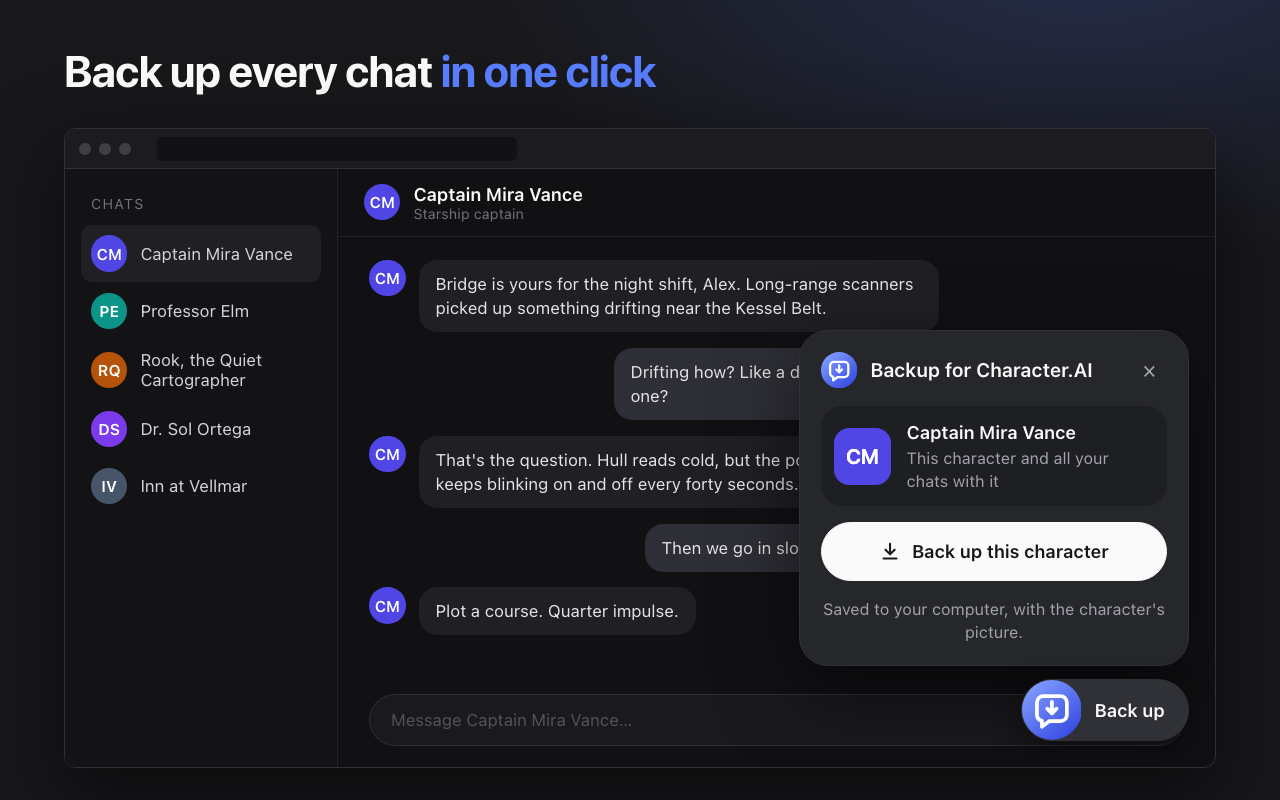
Add Backup for Character.AI to Chrome on a computer, then open any chat on character.ai. (Chrome Web Store link coming this week.)
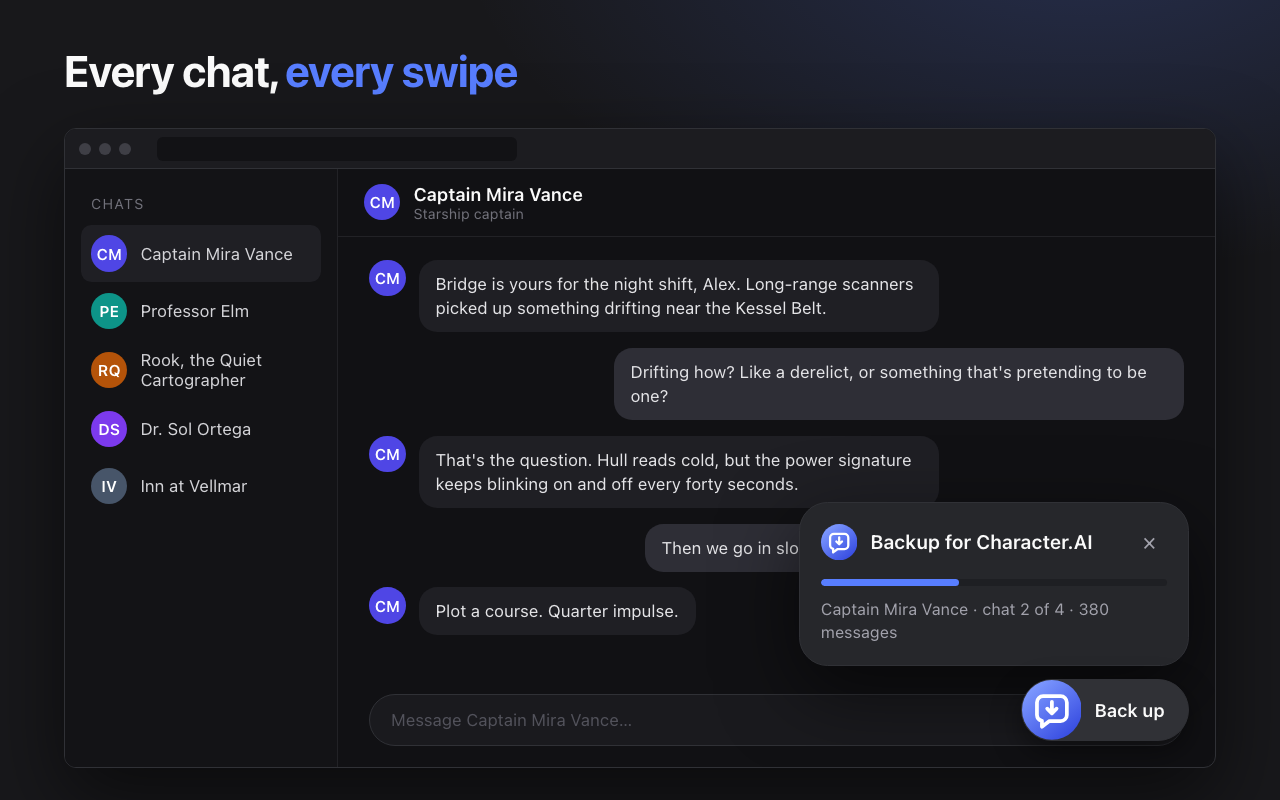
The backup panel opens on every chat. One click saves the character and all your chats with it. Repeat for each character you want to keep.
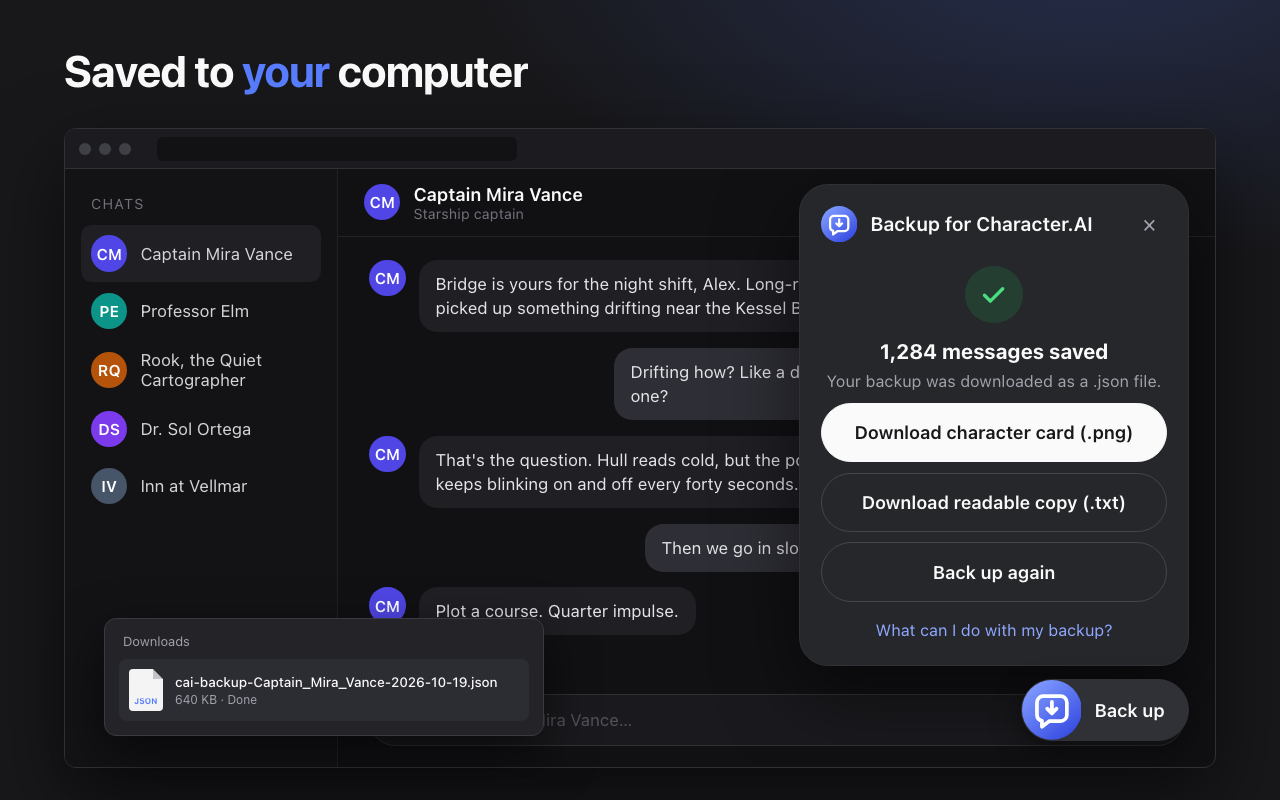
Your backup downloads as a .json file. Click Download readable copy for a .txt you can open anywhere.
Why back up now
Character.AI filed for Chapter 11 bankruptcy on October 12, 2026. A court-supervised sale is expected to finish in late November or early December, and the company says the platform will be wound down if no buyer keeps it running. It's still online today. Read the timeline →
Users have also reported long chats disappearing on their own. Either way, a copy on your own computer is the only one you control.
Using Character.AI's official "Export Data"
Request it too, especially on a phone. It covers your whole account, but it's slow.
- Website: Profile → Profile Settings → Account → Manage Account & Data → Export Data
- App: Profile → Settings → Legal & Privacy → Export Data
| Backup extension | Official export | |
|---|---|---|
| Wait | Minutes | Up to 3–4 weeks; the link expires after 7 days |
| Readable | Yes, a .txt transcript | Raw JSON in a ZIP |
| Characters | Standard character cards | Character metadata |
| Swipes | Yes | Not documented |
| Works on phone | No | Yes |
Keep talking to them
Bring your characters to Cherrypop
A backup keeps your memories. Cherrypop brings the characters back. Drop your backup file in and each character's name, personality, greeting and story carry over. Pick which greeting to start from, then generate a brand-new look for them.
- Imports the backup file from this extension, or any standard character card (.json or .png)
- Your text comes over; pictures are created fresh on Cherrypop
- Adult (18+) platform with fewer limits on roleplay
Cherrypop is for adults only. Characters must be adults; imports are reviewed.
Questions
Does the official export include all my chats?
Character.AI hasn't published exactly what's inside. Users report a ZIP of JSON files that's hard to read, and some never received the email. The link expires 7 days after it arrives. Making a backup with the extension as well is the safest bet.
Can I export a character's definition?
Yes for characters you created, and for characters whose creator made the definition public. Character.AI doesn't send hidden definitions to anyone, so no tool can export them. The backup still saves the greeting, tagline and all your chats.
Can I export characters I didn't make?
You can back up the public details of any character you've chatted with, plus your own chats with them, for personal use.
Is the extension safe?
It runs entirely in your browser and saves files to your computer. It never asks for your password or token, and it only works on character.ai.
My chat is thousands of messages long. Will it work?
Yes. Very long histories take a minute or two. Keep the tab open until the download starts.
How do I open the backup?
Click Download readable copy for a plain .txt you can read on any device. The .json file is for importing into apps like Cherrypop.